
New app · iPhone and iPad · Photon Academy
Photon Students: our IB tuition app for students, parents and tutors
Homework from your tutor, hand-ins, AI-marked reports and every Photon resource, in one app on your iPhone or iPad. Our team built it in Singapore for our students, and it is open to anyone who wants Photon's materials.
An IB student juggles a lot: six subjects, the IA, the Extended Essay, TOK and CAS, plus the homework from tuition. Photon Students puts the tuition part in one place. Your tutor sets the work, you hand it in from your phone, it comes back marked, and your notes, worksheets and guidebooks sit right next to it.
It uses the account you already have on ibtuition.sg, so there is nothing new to remember. Here is what the app does for students, for parents and for our tutors, what it costs (for our students, nothing extra) and when you can get it.
Free trial lesson
Book a free trial

What is Photon Students?
Photon Students is Photon Academy's own app for iPhone and iPad. It is built around three people: the student doing the work, the tutor who sets and checks it, and the parent who wants to know how it is going. It has four tabs:
- Today: your next class, the work due soon and the guidebook you were reading.
- Work: everything your tutors have set, with due dates, and everything you have handed in.
- Resources: the Photon Resource Centre, with notes, worksheets and your Photon Guidebooks.
- Me: your account, notifications and help, including short how-to videos.
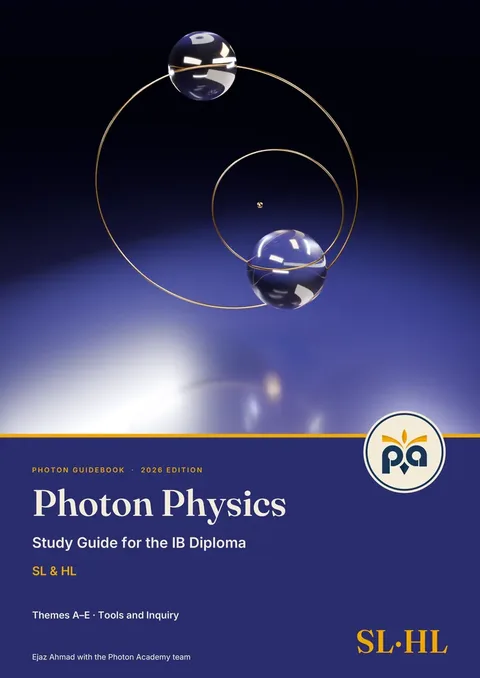
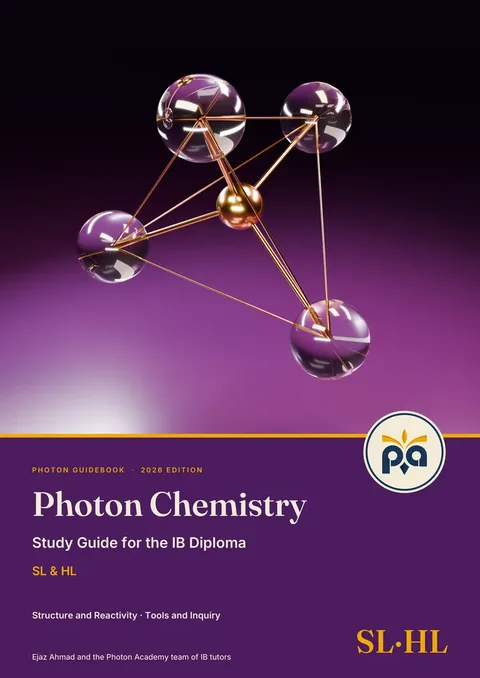
You sign in with Google, Apple or email, using the same account as ibtuition.sg. Your access and anything you buy are the same on both.
Why our team built it
We wanted everything to do with tuition to live in one place: what was set, when it is due, what was handed in, how it was marked and what to do next. A worksheet handed out in class, a link sent in a chat and a PDF sent by email are easy to lose. One list on your phone is not.
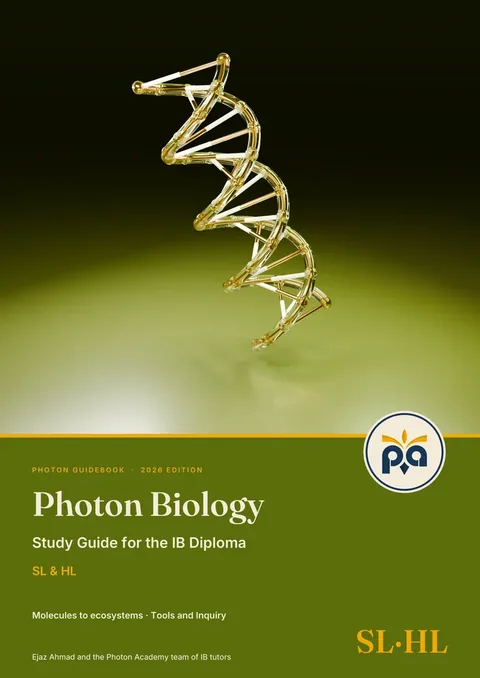
Our team designed and tested every screen on iPhone and iPad, and checked every step, from a tutor setting work to the marked report coming back, before we called it ready. It is the same Photon material our students already use, and the same care that goes into our Photon Guidebooks.
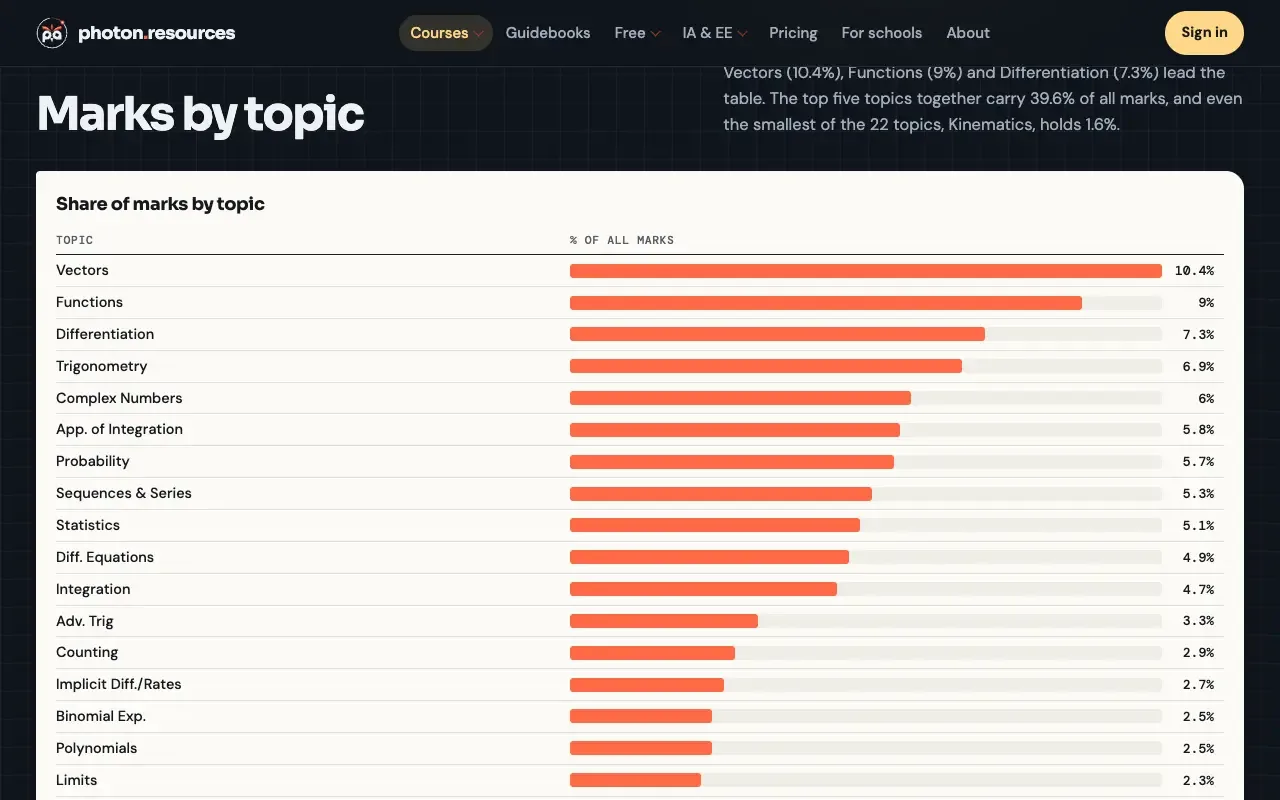
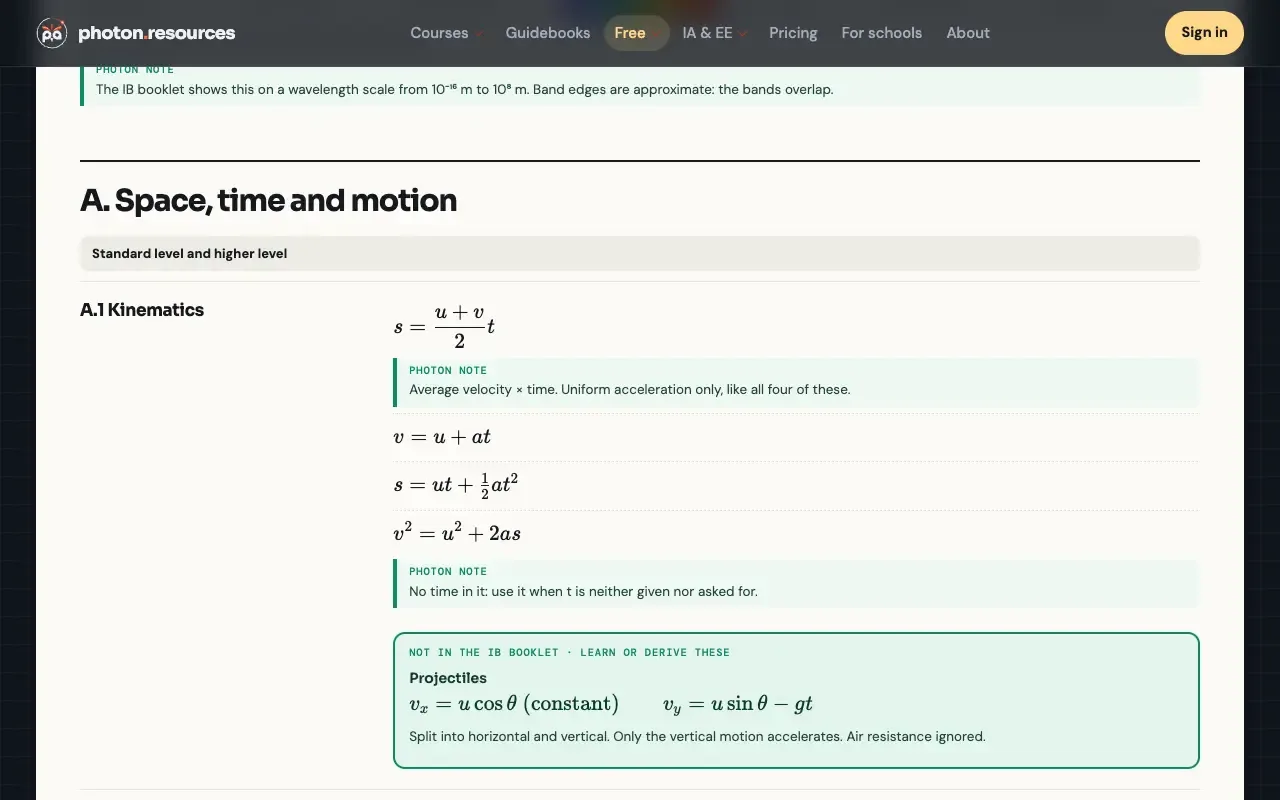
Our promise to students: the resources are included in your tuition. You never pay extra for the notes, worksheets or guidebooks you need for your IB subjects.
For students: set, hand in, marked
Here is how a piece of work moves through the app:
- Your tutor sets it. It might be a worksheet, a test, a timed quiz, a short question or a link, always with a due date. You get a notification, and a reminder the day before at 6pm.
- You do it on paper, as usual. Open the questions in the app, then hand in by scanning your pages with the camera, choosing photos or uploading a PDF.
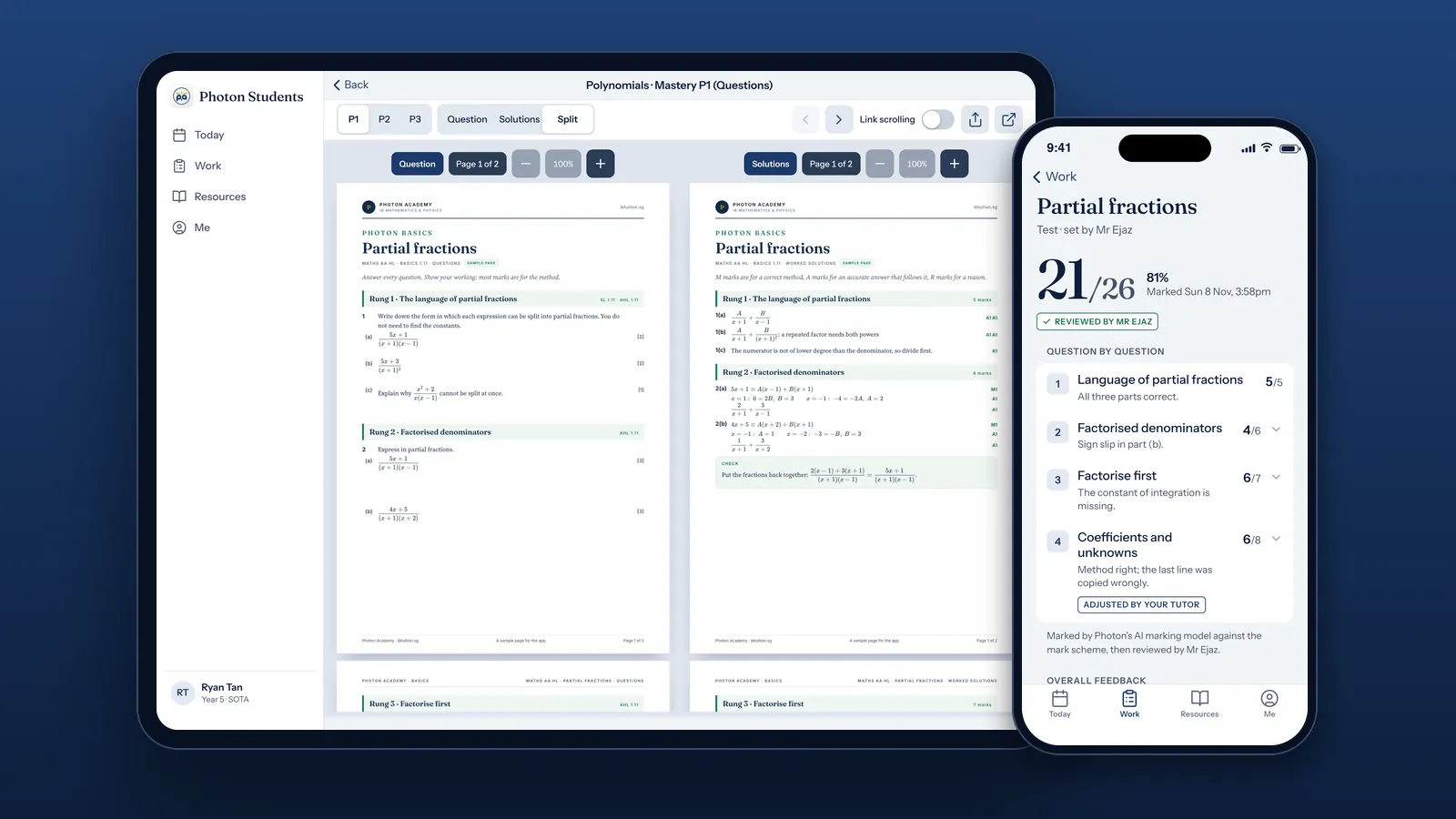
- It comes back marked. When the test has AI marking, your marks arrive a few minutes after you hand in: a score, the marks for each question and a comment on each one.
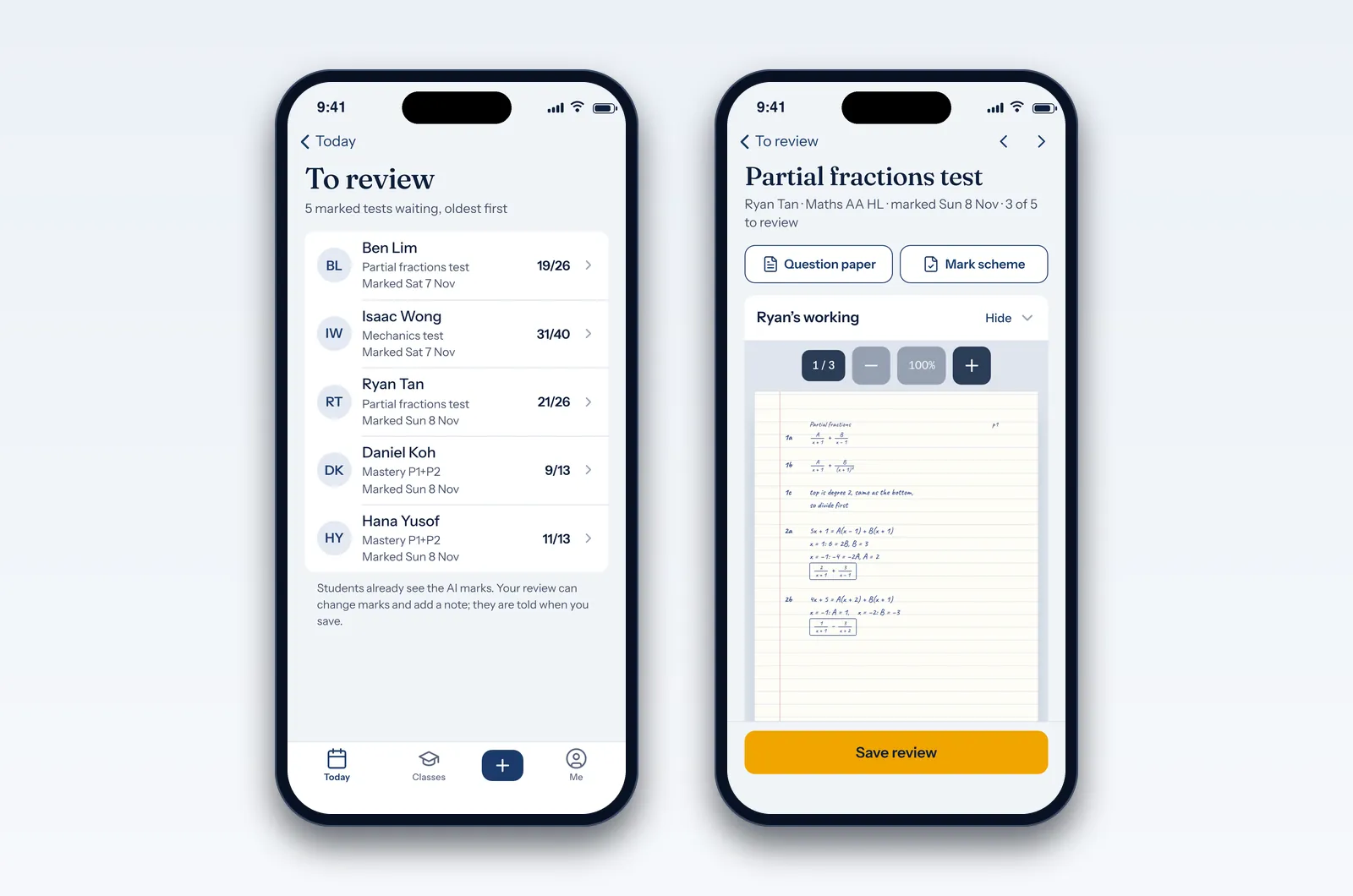
- Your tutor reviews it. They can change any mark and add a note, and you are told when they do. The mark scheme opens when your tutor releases it.
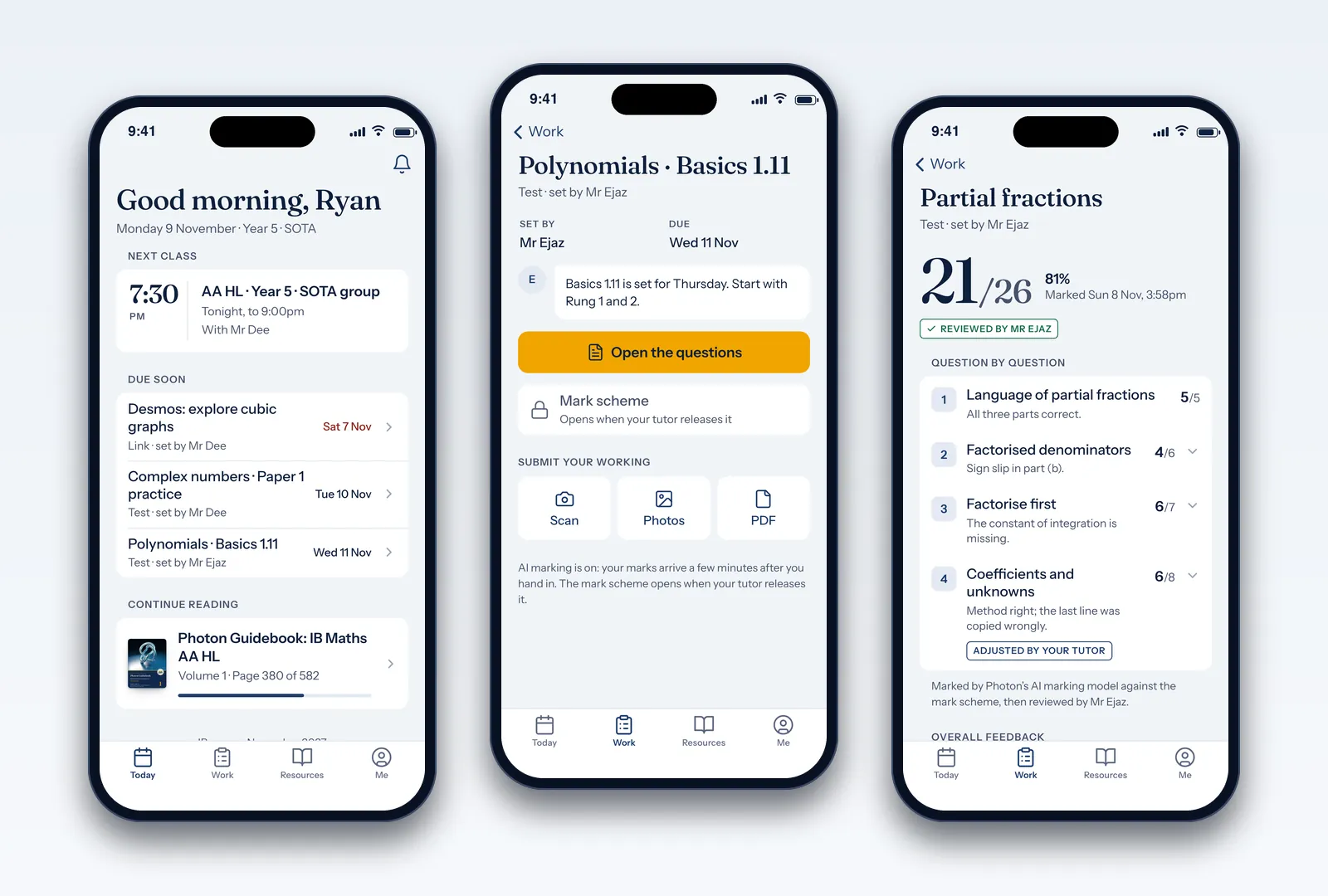
Before your first AI-marked hand-in, the app shows exactly what is sent for marking (your pages, with the question paper and mark scheme) and asks you to agree. Your name and email are never sent, and you can change your mind at any time under Me.
Questions and worked solutions, side by side
On iPad, any worksheet that comes with solutions opens in Split view: the questions on the left and the worked solutions on the right, each with its own zoom. Turn on Link scrolling and both sides move together, so you never lose your place.
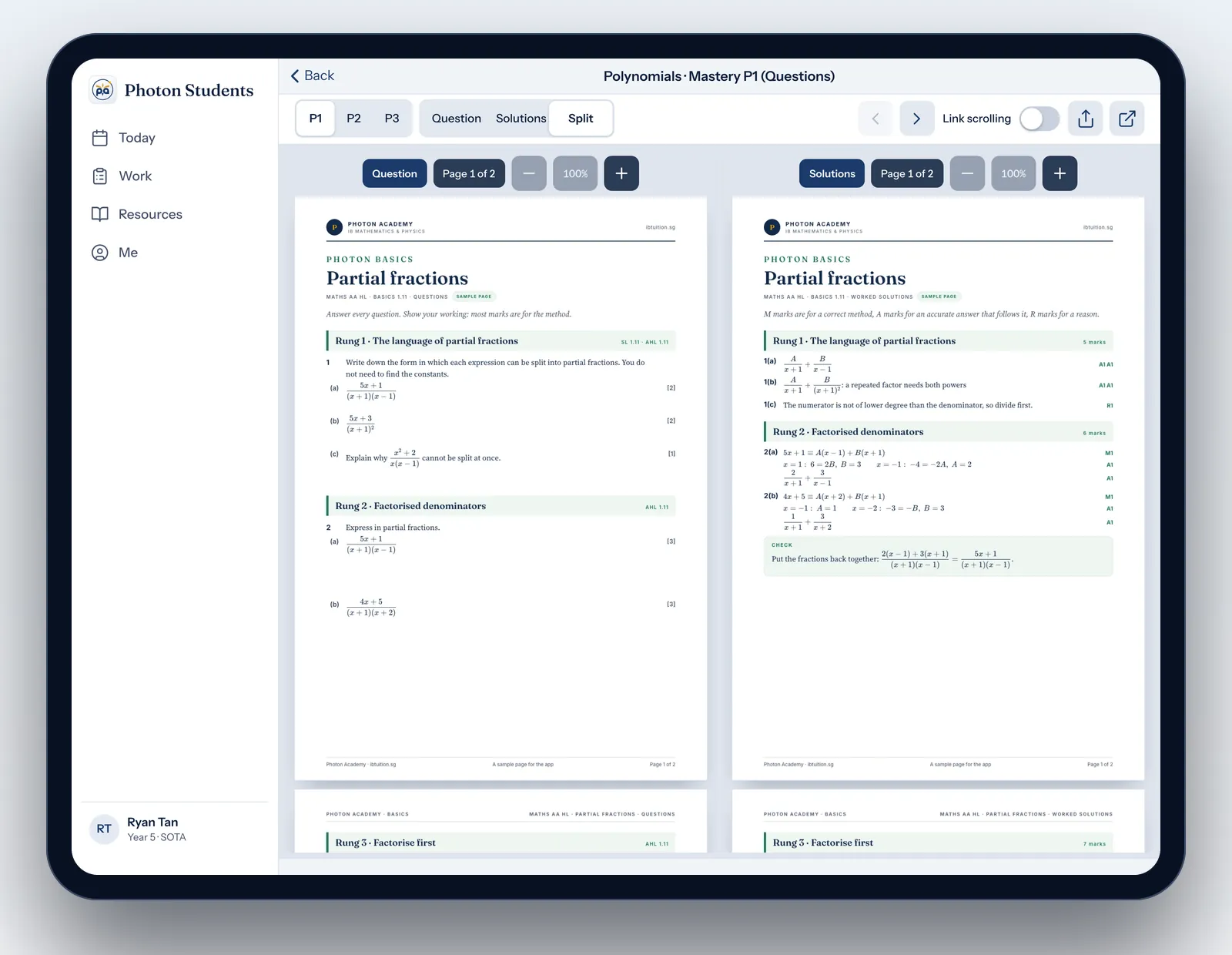
It is how we teach students to check their work: try the question first, then compare every line with the worked solution and the marks it earns. Doing that on one screen makes it quick enough to do for every question, not just the ones you got wrong.
The rest of the Resource Centre is one tap away:
- Notes and worksheets for every topic: notes, cheatsheets, Basics sheets, tutorials and Mastery questions.
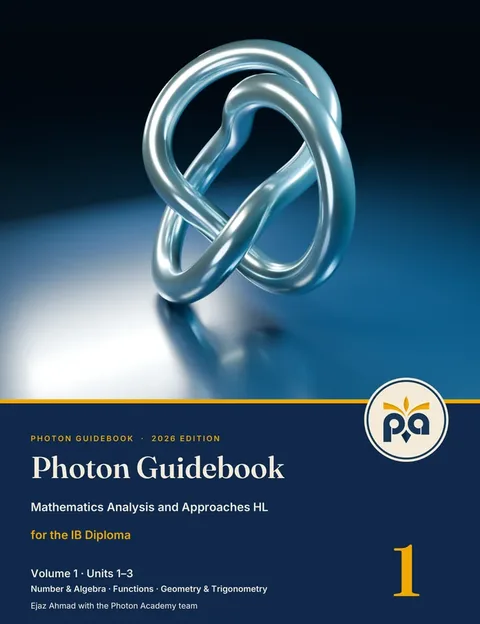
- E-books: your Photon Guidebooks, opening at the page where you stopped.
- AI Marker: check your own working against the mark scheme, included for Photon Academy students.
For parents: see progress without chasing
Most parents want to know three things: what was set this week, whether it got done, and how it went. Photon Students answers all three in one place.
- What was set: the Work tab lists every piece of work, who set it and when it is due.
- Whether it got done: work moves from To do to Done when it is handed in, and anything overdue is marked.
- How it went: every marked test shows the score, the marks for each question, a comment on each one and the tutor's note.
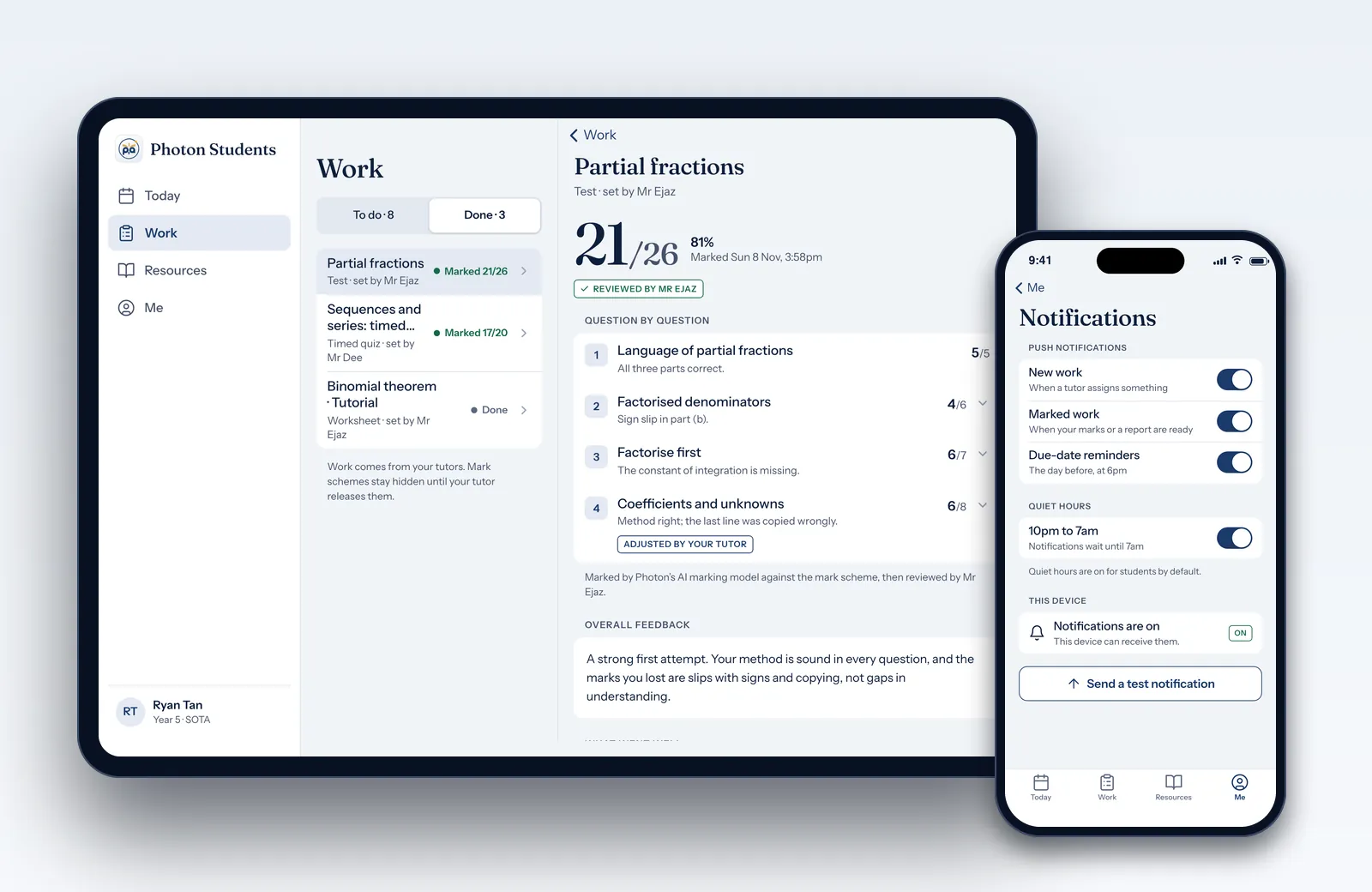
There is no separate parent login: the app belongs to your child. The simplest routine is to sit down together once a week and open Work, then Done. A few minutes is enough to look at the marks, read the tutor's notes and agree what to redo.
Two details matter to many parents. Notifications respect quiet hours, from 10pm to 7am by default for students, so the phone stays quiet at night. And AI marking only starts once the student has agreed, after seeing what is sent: their pages, the question paper and the mark scheme, never their name or email.
For tutors: set work and check the marks
Our tutors set work from the app for their classes, with a due date and a few options: AI marking, keeping the mark scheme hidden until the due date, and emailing students as well as notifying them.
When work is marked, it appears under To review. The tutor sees the student's handwritten working next to the question paper and the mark scheme, can change any mark, adds a note and saves. The student sees the AI marks straight away and is told as soon as the review is saved, so feedback arrives while the work is still fresh.
Free for our students, open to everyone
Everything in the Resource Centre is included for students enrolled at Photon Academy, at no extra cost: the notes and worksheets, AI Marker and the Photon Guidebooks. That has always been our approach. Good IB resources should not be an extra bill for our own students.
The app is not only for our students, though. Anyone can read the free samples and buy what they need with Apple in-app purchase, at the same prices as on our website:
- A subject (notes, cheatsheets, tutorials and Mastery questions with worked solutions) for 12 months: S$250, the same as Full Library Access on the website.
- Photon Guidebooks, to read in the app for 2 years: from S$100 a volume.
Buy once and it works on ibtuition.sg too, with the same account.
Built in Singapore, for IB students here and abroad
Photon Academy is an IB tuition centre at 5 Tank Road, next to Fort Canning MRT. We run programmes for students at SOTA, SJI International and ACS (International) and teach IB students from many other schools, in class or online. The app follows how they study: IB exams in May or November, school mocks before them, and prices in Singapore dollars.
The IB Diploma Programme is the same everywhere, and so are our materials. If you are studying for the IB on your own, anywhere in the world, start at Photon Resources, our site for IB study materials worldwide. Its self-study app, Photon Learning Studio, gives IB Maths, Physics, Chemistry and Biology students a daily plan, lessons with moving diagrams, exam-style practice and a progress page.
Get the app
Photon Students is on the App Store for iPhone and iPad, and it is free to download. Open Photon Students in the App Store, or search for Photon Students in the App Store app.

Reading this on a computer? Scan the code with your iPhone or iPad camera.
- Photon Academy students: sign in with the account you use on ibtuition.sg.
- Everyone else: sign in with Google, Apple or email, and read the free samples before you buy anything. On the website you can also try our free IB cheatsheets and the free sample chapters of the Photon Guidebooks.
In short
- One app for tuition work: set, handed in, marked and reviewed.
- Questions and worked solutions side by side on iPad.
- Parents can see what was set, what got done and how it went.
- Included for Photon Academy students. Anyone else can buy at website prices.
Free trial lesson
Want the app as part of your IB tuition?
Every Photon Academy student gets the app, the Resource Centre and the Photon Guidebooks as part of their tuition. Come for a free trial lesson at 5 Tank Road or online.
Frequently asked questions
Is the Photon Students app free?
For students enrolled at Photon Academy, yes: the app and everything in the Resource Centre are included in their tuition. Anyone else can read the free samples and buy a subject (S$250 for 12 months) or a Photon Guidebook (from S$100 a volume, for 2 years) with Apple in-app purchase, at the same prices as on ibtuition.sg.
Which devices does it work on?
iPhone and iPad. On iPad you also get Split view, with the questions and the worked solutions side by side. On any other device, students can sign in to the same account on ibtuition.sg in a web browser.
How does AI marking work, and who checks it?
When a test has AI marking, the pages a student hands in are marked against that test's mark scheme by Photon's AI marking model, usually within a few minutes. The student sees a score, the marks for each question and a comment on each one. Their tutor then reviews the marks and can change any mark and add a note. Before the first AI-marked hand-in, the app shows exactly what is sent for marking and asks the student to agree; their name and email are never sent.
Can parents see their child's progress?
There is no separate parent login, so parents look with their child in the app. The Work tab shows what was set, what is done and what is overdue, and every marked test shows the score, the marks for each question and the tutor's note.
Is it the same as the ibtuition.sg website?
It uses the same account. What you buy in the app also works on ibtuition.sg, and the Resource Centre is the same one our students use on the website.
I'm not in Singapore. Is it for me?
Our live classes run at 5 Tank Road in Singapore and online. If you are studying for the IB on your own outside Singapore, our study materials are on Photon Resources (photonresources.com), our site for IB students worldwide.
Where do I download it?
On the App Store, for iPhone and iPad: search for Photon Students, or open the App Store link on this page. The app is free to download. Photon Academy students sign in with the account they use on ibtuition.sg.
Photon Academy is an independent tuition provider and is not affiliated with, endorsed by, or approved by the International Baccalaureate Organization. IB and International Baccalaureate are trademarks of their respective owners. iPhone, iPad and App Store are trademarks of Apple Inc. App screens in this article show example data, not real students.


